Lorem ipsum dolor sit amet, dolor siterim consectetur adipiscing elit. Phasellus duio faucibus est sed facilisis viverra. Umero praesent nec accumsan nibh, eu grav da metus.
Removing Products From Dispatchment Centers
3 min read
- What Does “Removing Products From Dispatchment” Mean?
- Valid Reasons to Remove Products From Dispatchment
- When Products Cannot Be Removed Immediately
- Step 1: Check Dispatchment Inventory Status
- Step 2: Submit a Removal Request
- Step 3: Choose a Removal Option
- Step 4: Inventory Processing & Confirmation
- What Happens to the Product Listing?
- Important Rules to Know
- Common Seller Mistakes
- Best Practices for Sellers
- When to Contact Support
- Final Tip
(Dispatched by Kingston Express)
Sometimes a product no longer makes sense to keep in a dispatchment center.
Whether you’re changing strategy, discontinuing an item, or switching delivery methods, products can be removed from dispatchment in an orderly way.
This guide explains when removal is allowed, how to request it, and what happens to your inventory afterward.
What Does “Removing Products From Dispatchment” Mean? #


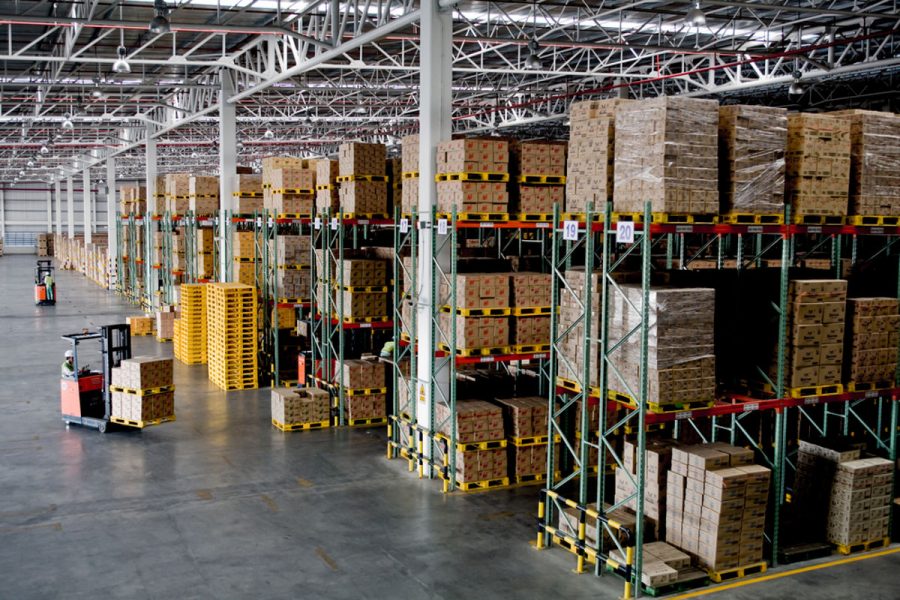
Removing a product from dispatchment means:
- The product will no longer be stored or dispatched by Kingston Express
- Remaining inventory is returned, reassigned, or cleared based on the chosen option
- The product stops using Dispatched by Kingston Express as its delivery method
📦 This only affects inventory stored in Kingston Express dispatchment centers.
Valid Reasons to Remove Products From Dispatchment #
You may request removal if:
- The product is discontinued
- Demand has slowed
- You want to switch to seller-managed delivery or pickup
- You are updating or replacing the product
- You want to pause dispatchment temporarily
📌 Removal requests must follow dispatchment rules.
When Products Cannot Be Removed Immediately #
Removal may be delayed if:
- There are active or pending orders
- Inventory is currently being processed
- A dispatchment review is ongoing
⏳ Orders already placed must be fulfilled first.
Step 1: Check Dispatchment Inventory Status #


Before requesting removal:
- Log in to your Seller Dashboard
- Review current dispatchment stock
- Confirm there are no pending dispatchment orders
📊 Stock and order status determine next steps.
Step 2: Submit a Removal Request #


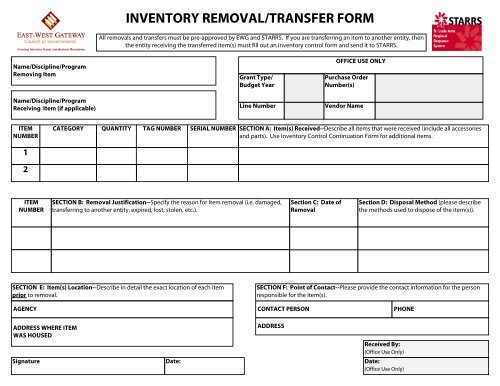
To begin removal:
- Submit a request through the approved Kingston Express process
- Include:
- Store name
- Product name
- Quantity in dispatchment
- Reason for removal
📌 Do not show up to collect inventory without approval.
Step 3: Choose a Removal Option #
Once approved, you may be given one or more options:
🔁 Option 1: Return Inventory to Seller #
- Inventory is returned to you
- You arrange pickup or collection
- Product can be sold using other delivery methods
🔄 Option 2: Reassign Inventory #
- Inventory may be reassigned if applicable
- Used for relisting, replacement, or restructuring
🚫 Option 3: Clear Remaining Inventory (If Applicable) #
- For damaged, obsolete, or unsellable items
- Requires seller confirmation
⚠️ Clearance options depend on product condition.
Step 4: Inventory Processing & Confirmation #


After removal is processed:
- Dispatchment stock is updated
- Product no longer shows as Dispatched by Kingston Express
- Confirmation is provided
✅ Only then is removal complete.
What Happens to the Product Listing? #
After removal:
- The product may:
- Switch to seller-managed delivery
- Switch to pickup
- Be marked out of stock
- Be temporarily hidden
🛒 This depends on your store settings.
Important Rules to Know #
✔ Removal requests must be approved
✔ Inventory condition is verified
✔ Processing time may apply
✔ Repeated removals may affect dispatchment eligibility
📌 Dispatchment centers are operational facilities — not storage on demand.
Common Seller Mistakes #
❌ Assuming instant removal
❌ Requesting removal during active orders
❌ Arriving without approval
❌ Forgetting to update product shipping method
⚠️ These cause delays and confusion.
Best Practices for Sellers #
✔ Remove products only when necessary
✔ Plan exits during low sales periods
✔ Communicate changes clearly
✔ Keep listings updated immediately
When to Contact Support #
Contact Kingston Express Support if:
- You’re unsure which removal option applies
- Inventory status looks incorrect
- You need urgent clarification
📧 Include store name and product details.
Final Tip #
Dispatchment works best with commitment and planning.
When you do need to remove products, following the proper process keeps everything smooth, fair, and professional 📦🚚