


Lorem ipsum dolor sit amet, dolor siterim consectetur adipiscing elit. Phasellus duio faucibus est sed facilisis viverra. Umero praesent nec accumsan nibh, eu grav da metus.
This is a demo store for testing purposes — no orders shall be fulfilled. Dismiss
 Jamaica
Jamaica
Jamaica
1 min read
Promo codes and discounts help you save money on eligible purchases.
This guide explains how promo codes work, where to enter them, why they may not apply, and what to do if something goes wrong.

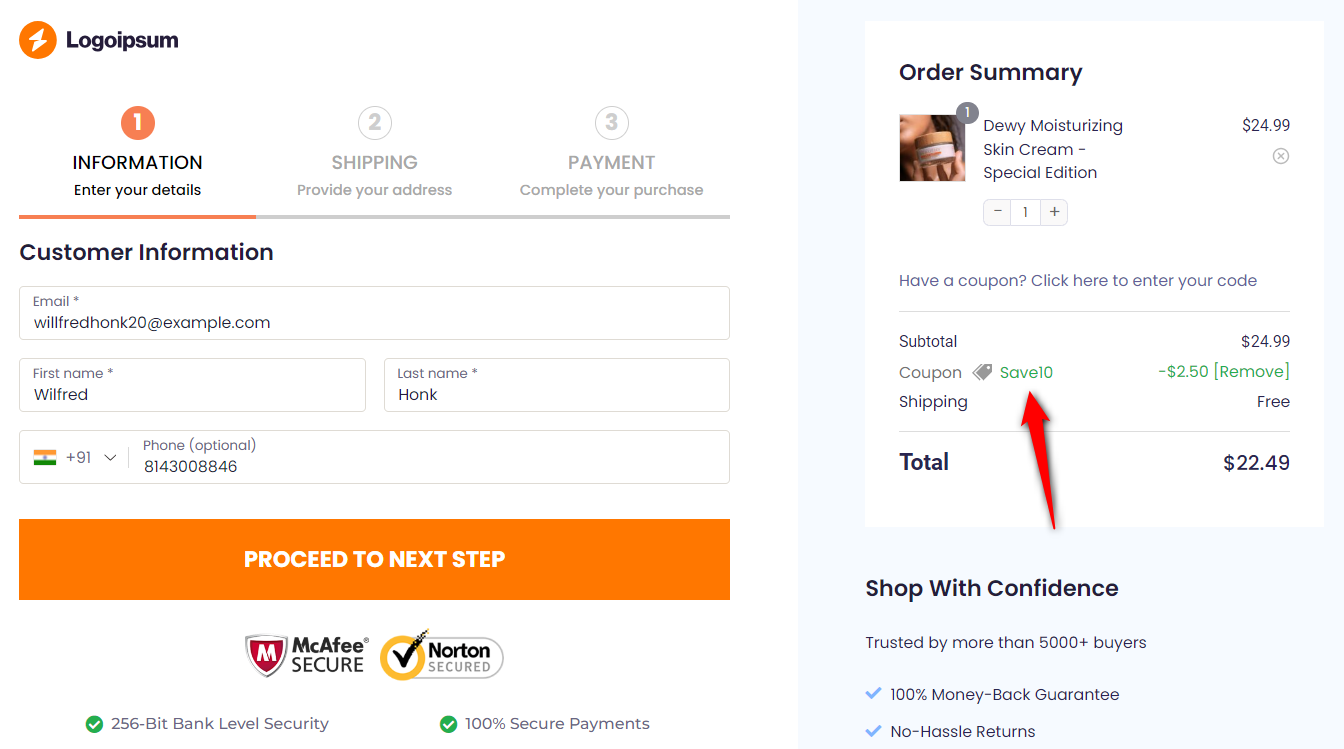
Promo codes (also called coupon or discount codes) are special codes that:
🎉 Promo codes are usually time-limited and have conditions.
You can apply a promo code in two places:
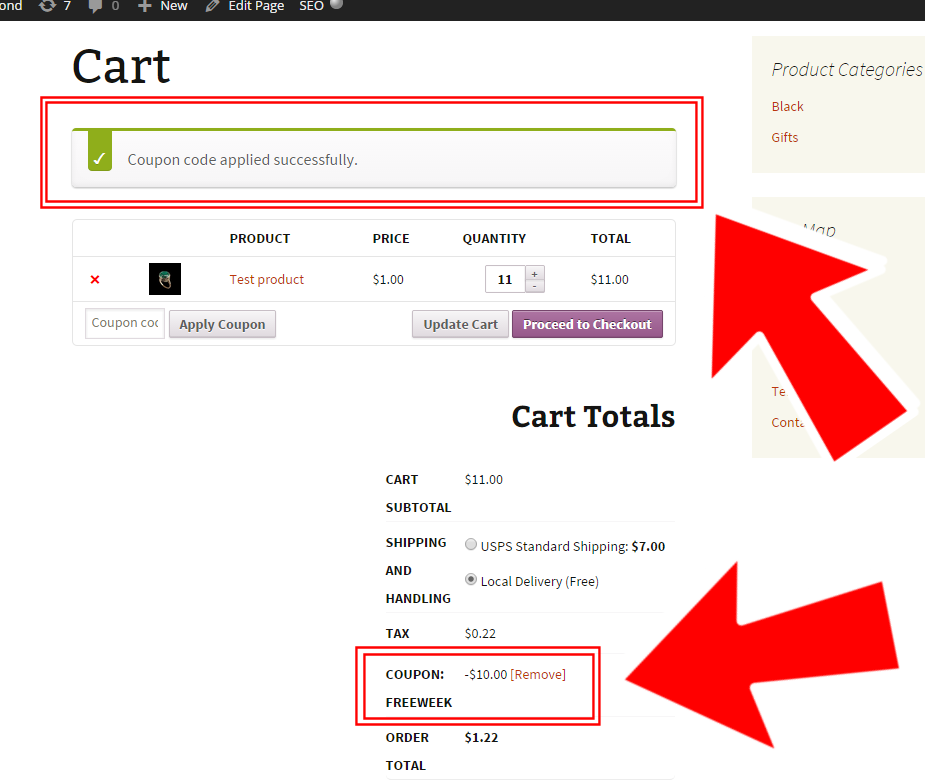

📌 Always apply promo codes before completing payment.
Promo codes may fail for several reasons:
⚠️ Only one promo code is usually allowed per order.
Because Kingston Express is a multivendor marketplace:
🛒 Always review the discount breakdown at checkout.
💡 In many cases, you can:
📌 Promo codes usually apply to item prices, not wallet or points balance.
Before contacting support:
🔄 Try removing and reapplying the code if needed.
Contact Kingston Express Support if:
📌 Include screenshots and the promo code used.
✔ Subscribe to emails for promo updates
✔ Check banners and announcements
✔ Review seller promotions on product pages
✔ Apply promo codes before checkout
✔ Read promo terms carefully
Promo codes are a great way to save, but they come with rules. Reviewing eligibility and applying codes early helps ensure you get the discount you expect 💸


This chat uses automated responses for general guidance. For binding terms, please refer to our official policies.
Start A Conversation
Click here to chat with me!
Search our website now
Latest Products
Latest Posts
Lorem ipsum dolor sit amet, dolor siterim consectetur adipiscing elit. Phasellus duio faucibus est sed facilisis viverra. Umero praesent nec accumsan nibh, eu grav da metus.
B&O Play – Best Headphone For You
Lorem ipsum dolor sit amet, dolor siterim consectetur adipiscing elit. Phasellus duio faucibus est sed facilisis viverra. Umero praesent nec accumsan nibh, eu grav da metus.
Harman Kadon Onyx Studio Mini, Reviews & Experiences
Lorem ipsum dolor sit amet, dolor siterim consectetur adipiscing elit. Phasellus duio faucibus est sed facilisis viverra. Umero praesent nec accumsan nibh, eu grav da metus.
DeerCo – A New Look About Startup In Product Manufacture Field
Lorem ipsum dolor sit amet, dolor siterim consectetur adipiscing elit. Phasellus duio faucibus est sed facilisis viverra. Umero praesent nec accumsan nibh, eu grav da metus.
Tips how to choise a perfect watch foractive guys
Lorem ipsum dolor sit amet, dolor siterim consectetur adipiscing elit. Phasellus duio faucibus est sed facilisis viverra. Umero praesent nec accumsan nibh, eu grav da metus.

Subscribe to the Martfury mailing list to receive updates on new arrivals, special offers and our promotions.