


Lorem ipsum dolor sit amet, dolor siterim consectetur adipiscing elit. Phasellus duio faucibus est sed facilisis viverra. Umero praesent nec accumsan nibh, eu grav da metus.
This is a demo store for testing purposes — no orders shall be fulfilled. Dismiss
 Jamaica
Jamaica
Jamaica
1 min read
After registering as a seller, your account goes through an approval process before you can start listing products and receiving orders.
This helps keep Kingston Express safe, trustworthy, and professional for both sellers and customers.
This article explains why approval is required, what happens during review, and what to do while you wait.

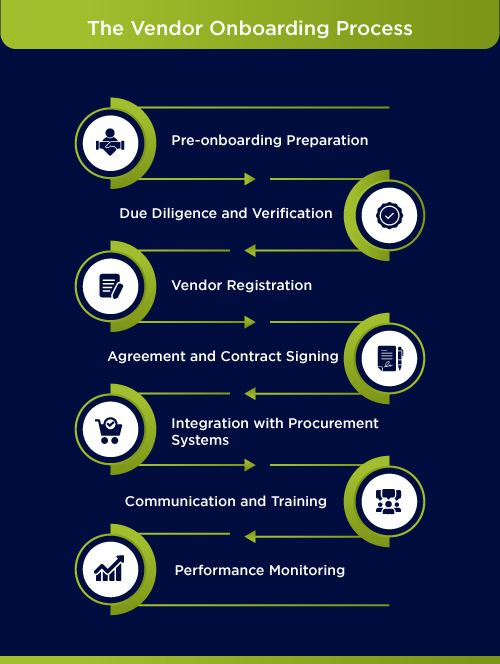
Seller approval helps to:
📌 This process benefits serious sellers and builds customer trust.
Once you submit your seller registration:
⏳ You may not see seller features immediately.
During approval, the team may review:
🛍️ This is usually a basic review, not a background check.
Approval time can vary depending on:
⏳ Most approvals are completed within a short time, but delays can happen during busy periods.
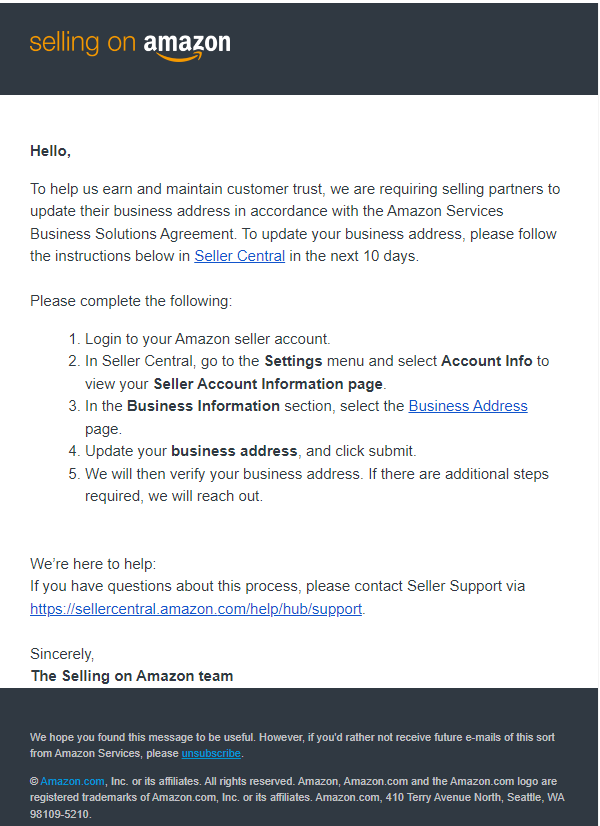

Once approved:
If your account is still pending:
📌 Do not create another seller account.
Sometimes, you may be asked to provide:
📎 Responding quickly helps speed up approval.
⚠️ Delays don’t mean rejection.
✔ Prepare product photos and descriptions
✔ Decide on pricing and shipping options
✔ Read seller policies and guidelines
✔ Plan your store branding (logo, banner)
💡 This saves time once you’re approved.
In rare cases:
📌 Always follow the instructions provided.
Contact Kingston Express Support if:
📧 Include your account email and store name.
Seller approval is a normal part of joining a professional marketplace. Once approved, you’ll have full access to powerful tools to grow your business on Kingston Express 🚀


This chat uses automated responses for general guidance. For binding terms, please refer to our official policies.
Start A Conversation
Click here to chat with me!
Search our website now
Latest Products
Latest Posts
Lorem ipsum dolor sit amet, dolor siterim consectetur adipiscing elit. Phasellus duio faucibus est sed facilisis viverra. Umero praesent nec accumsan nibh, eu grav da metus.
B&O Play – Best Headphone For You
Lorem ipsum dolor sit amet, dolor siterim consectetur adipiscing elit. Phasellus duio faucibus est sed facilisis viverra. Umero praesent nec accumsan nibh, eu grav da metus.
Harman Kadon Onyx Studio Mini, Reviews & Experiences
Lorem ipsum dolor sit amet, dolor siterim consectetur adipiscing elit. Phasellus duio faucibus est sed facilisis viverra. Umero praesent nec accumsan nibh, eu grav da metus.
DeerCo – A New Look About Startup In Product Manufacture Field
Lorem ipsum dolor sit amet, dolor siterim consectetur adipiscing elit. Phasellus duio faucibus est sed facilisis viverra. Umero praesent nec accumsan nibh, eu grav da metus.
Tips how to choise a perfect watch foractive guys
Lorem ipsum dolor sit amet, dolor siterim consectetur adipiscing elit. Phasellus duio faucibus est sed facilisis viverra. Umero praesent nec accumsan nibh, eu grav da metus.

Subscribe to the Martfury mailing list to receive updates on new arrivals, special offers and our promotions.