View Categories

How to Manage Customer Orders

3 min read

(Orders, Returns & Exchanges โ€“ Seller Guide)

Managing customer orders correctly is one of the most important parts of selling on Kingston Express.
Whether your orders are Dispatched by Kingston Express or seller-managed, knowing what to do at each stage prevents cancellations, disputes, and negative reviews.

This guide walks you through exactly how to manage orders from start to finish.

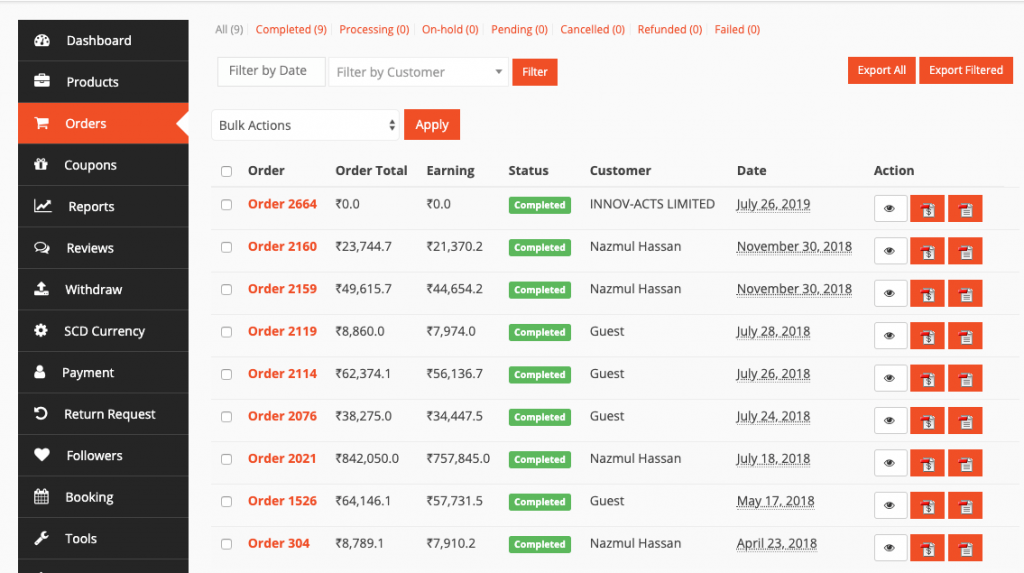
Where Sellers Manage Orders #

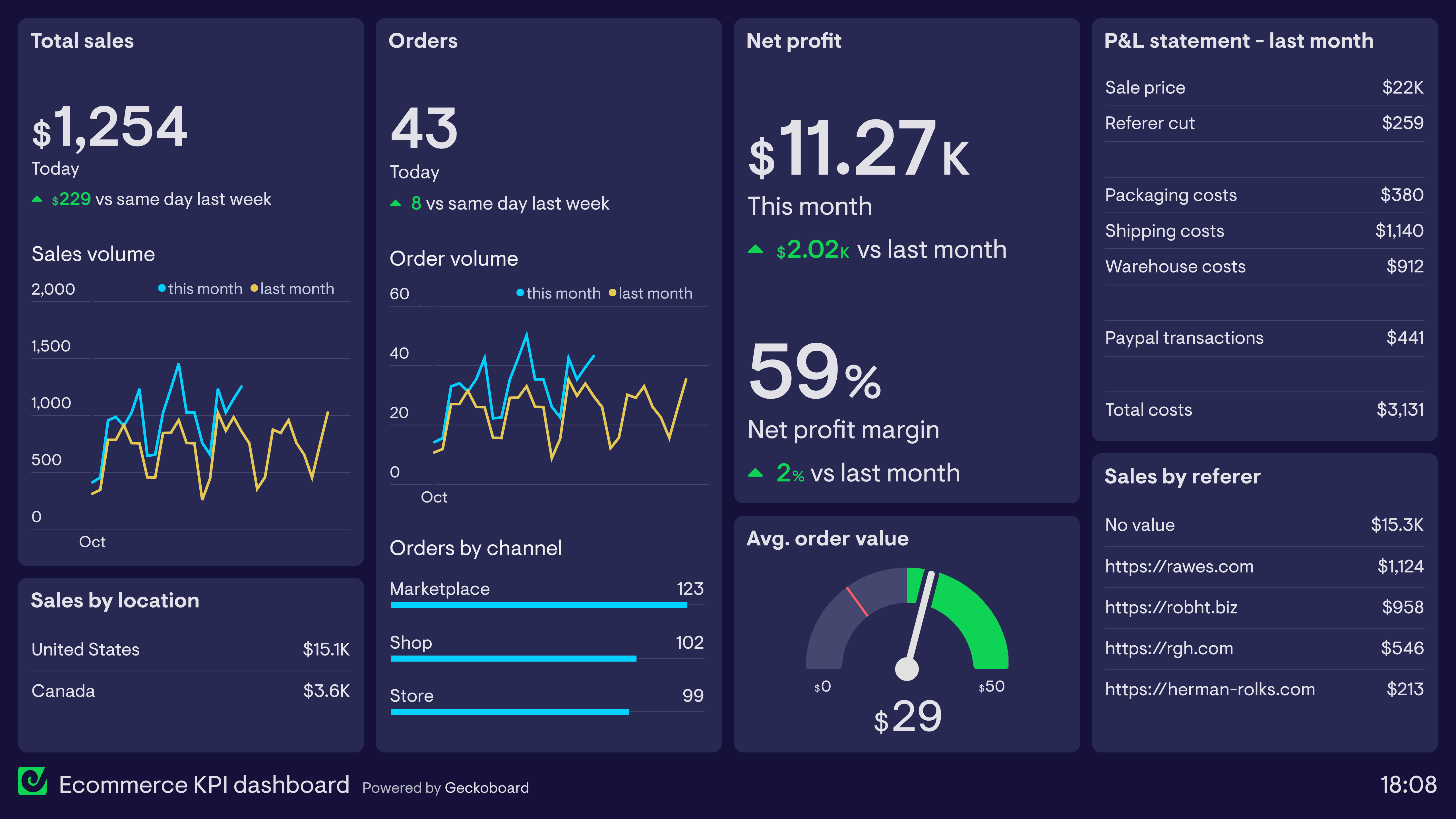
https://www.geckoboard.com/uploads/Ecommerce-KPI-dashboard.png
https://cdn.wedevs.com/uploads/2019/10/order-listing-1024x573.png

All orders are managed from your Seller Dashboard:

  • View new orders
  • Check order status
  • See delivery method
  • Respond to customer messages

๐Ÿ“Œ Check your dashboard daily.


Step 1: Identify the Order Type (Critical First Step) #

Before taking action, always confirm how the order is fulfilled:

๐ŸŸฆ Dispatched by Kingston Express #

  • Inventory is already in a dispatchment center
  • Kingston Express handles packing, shipping & delivery

๐Ÿšš Seller-Managed Order #

  • You store, pack, and ship the item yourself

๐Ÿ“ฆ This determines what actions you should โ€” or should not โ€” take.


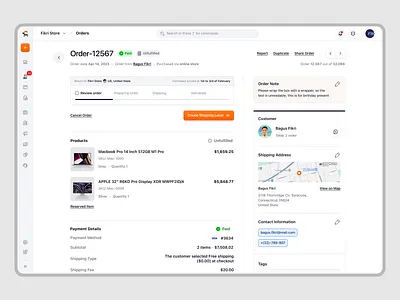
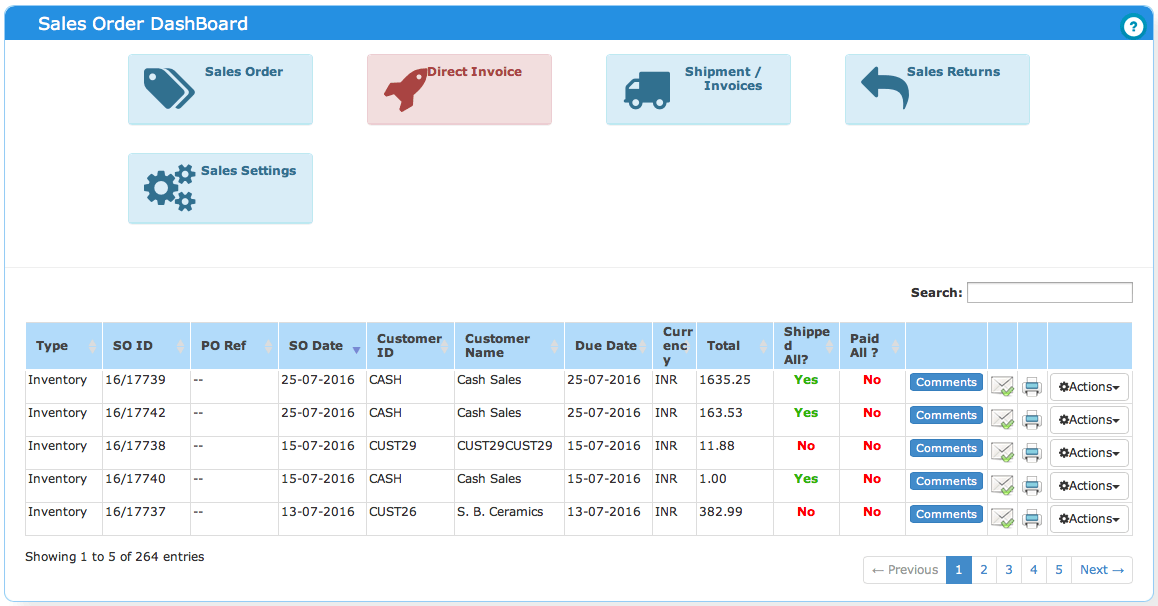
Step 2: Review Order Details Carefully #

https://cdn.dribbble.com/userupload/37073396/file/original-ef244556f65d1a21e3c5df255cf19656.png?format=webp&resize=400x300&vertical=center
https://www.actouch.com/wp-content/uploads/2016/08/Sales-DashBoard.png

Always review:

  • Products ordered
  • Quantity
  • Delivery address
  • Shipping method
  • Special notes or instructions

๐Ÿ“Œ Most problems come from skipping this step.

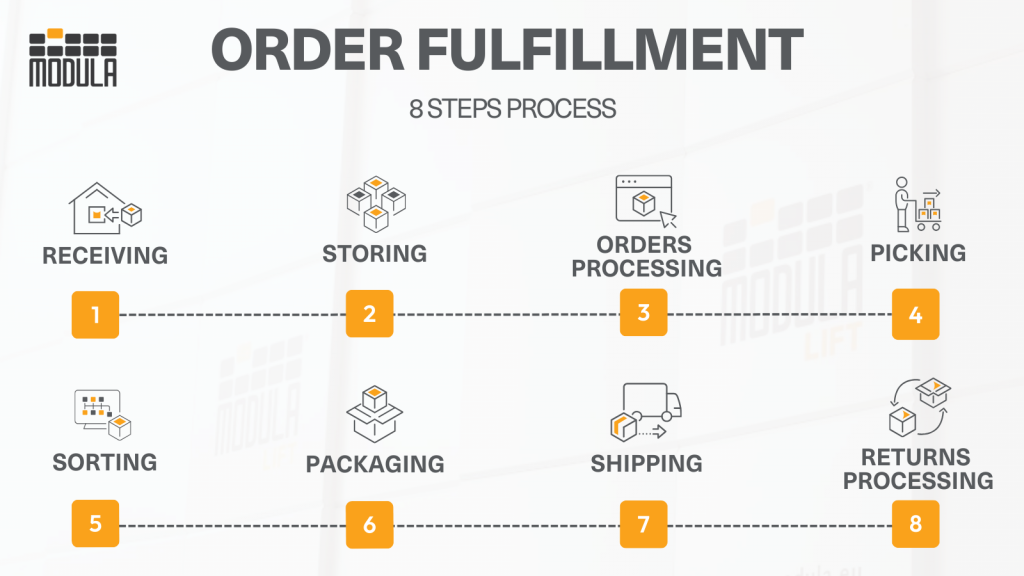
Step 3: Managing Dispatched by Kingston Express Orders #

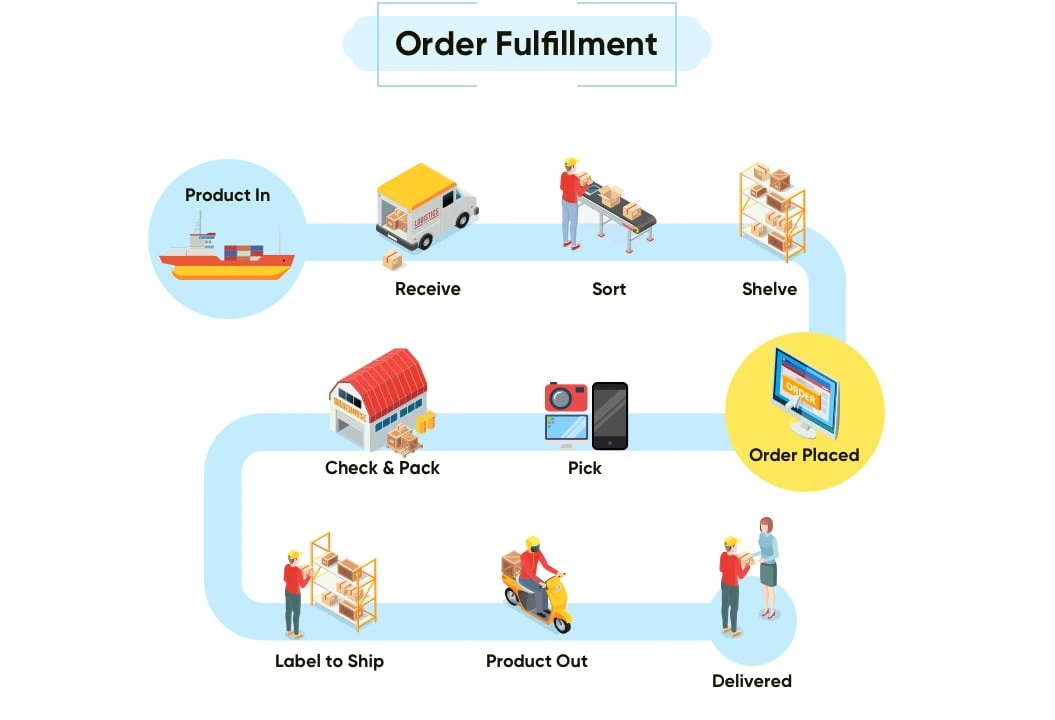
https://www.netsolutions.com/wp-content/uploads/2024/09/order-fulfillment-net-solutions-order-fulfillment-process.webp
https://www.researchgate.net/publication/282892019/figure/fig2/AS%3A438795599388672%401481628431067/Order-dispatching-process.png

What Happens Automatically #

  • Order is picked and packed
  • Shipping status updates automatically
  • Local or international delivery is handled
  • Tracking is provided

What Sellers Should Do #

โœ” Monitor order status
โœ” Answer customer questions calmly
โœ” Let the process run

What Sellers Should NOT Do #

โŒ Do not mark orders as shipped
โŒ Do not change delivery statuses
โŒ Do not cancel once processing begins

๐Ÿ“ฆ Dispatchment orders are hands-off.


Step 4: Managing Seller-Managed Orders #

https://cdn.sell2.brightspotcdn.com/dims4/default/89e6460/2147483647/strip/true/crop/2348x1568%2B188%2B0/resize/328x219%21/quality/90/?url=https%3A%2F%2Fsell2-production-sell2.s3.us-west-2.amazonaws.com%2Fbrightspot%2F74%2Fba%2F30e06a014330a2775f56d31587a9%2Fpacking-384845046.jpg
https://modula.us/wp-content/uploads/2023/04/order-fulfillment-process25-1024x576.png

For seller-managed orders, you are responsible for:

Seller Responsibilities #

โœ” Preparing the item
โœ” Packing securely
โœ” Shipping or delivering the order
โœ” Updating order status accurately

๐Ÿ“Œ Only mark progress when actions are completed.


Best Practice Order Flow (Seller-Managed) #

  1. Processing โ†’ Prepare item
  2. Dispatched / Shipped โ†’ Item leaves your possession
  3. Delivered โ†’ Confirm successful delivery

โš ๏ธ Never mark delivered without confirmation.


Step 5: Communicating With Customers #

https://www.business.com/_next/image/?q=80&url=https%3A%2F%2Fimages.business.com%2Fapp%2Fuploads%2F2015%2F01%2F11143516%2Fe-commerce-customer-service-1024x683.jpg&w=2048
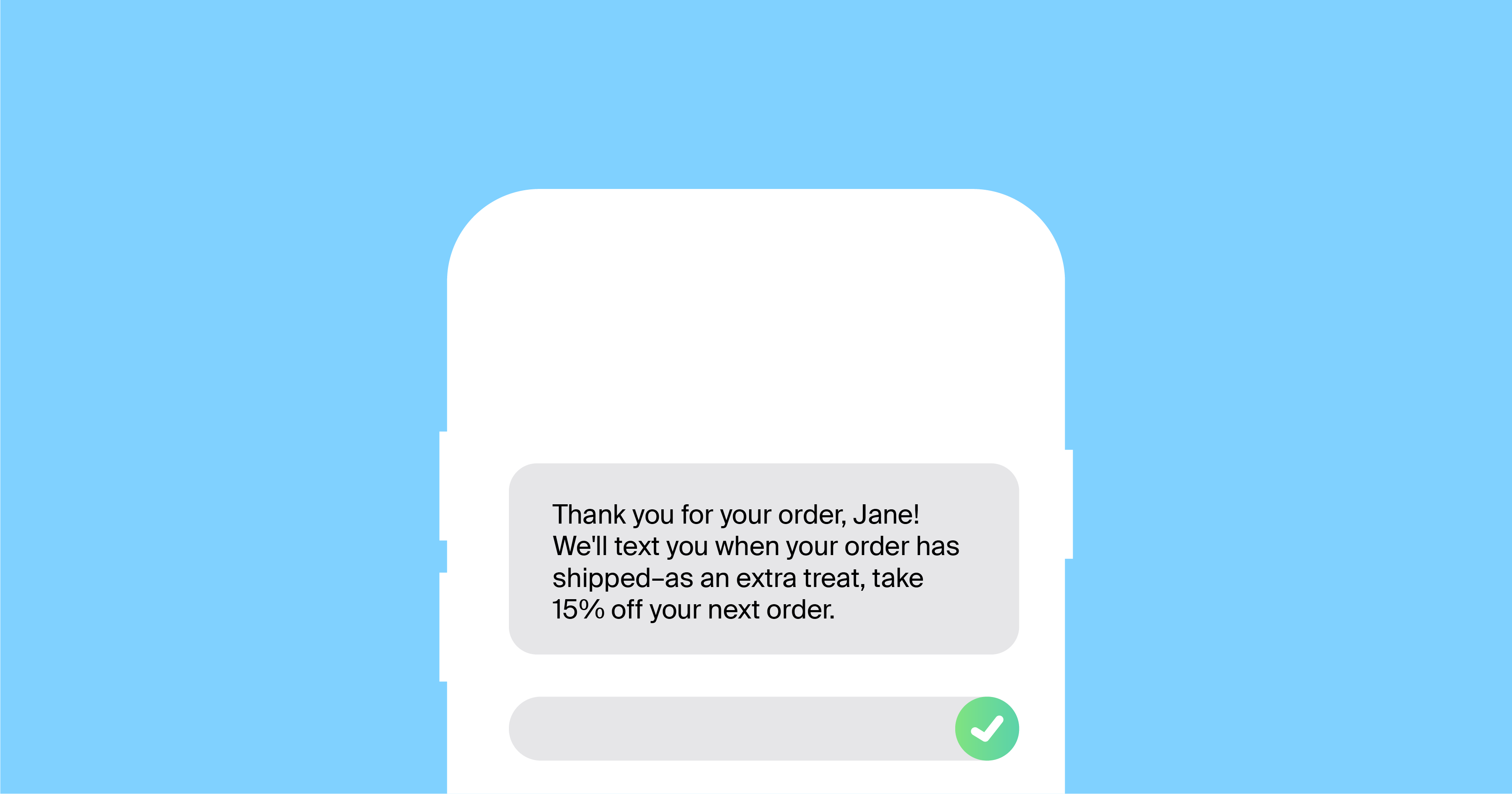
https://dexatel.com/images/blog/133/body/order-confirmation-sms-examples.png

Good communication:

  • Reduces complaints
  • Prevents disputes
  • Protects ratings

Best Practices #

โœ” Be polite and factual
โœ” Respond within reasonable time
โœ” Avoid blaming couriers or customers
โœ” Never promise guaranteed delivery dates

๐Ÿ“Œ Tone matters more than speed.


Step 6: Handling Order Issues Early #

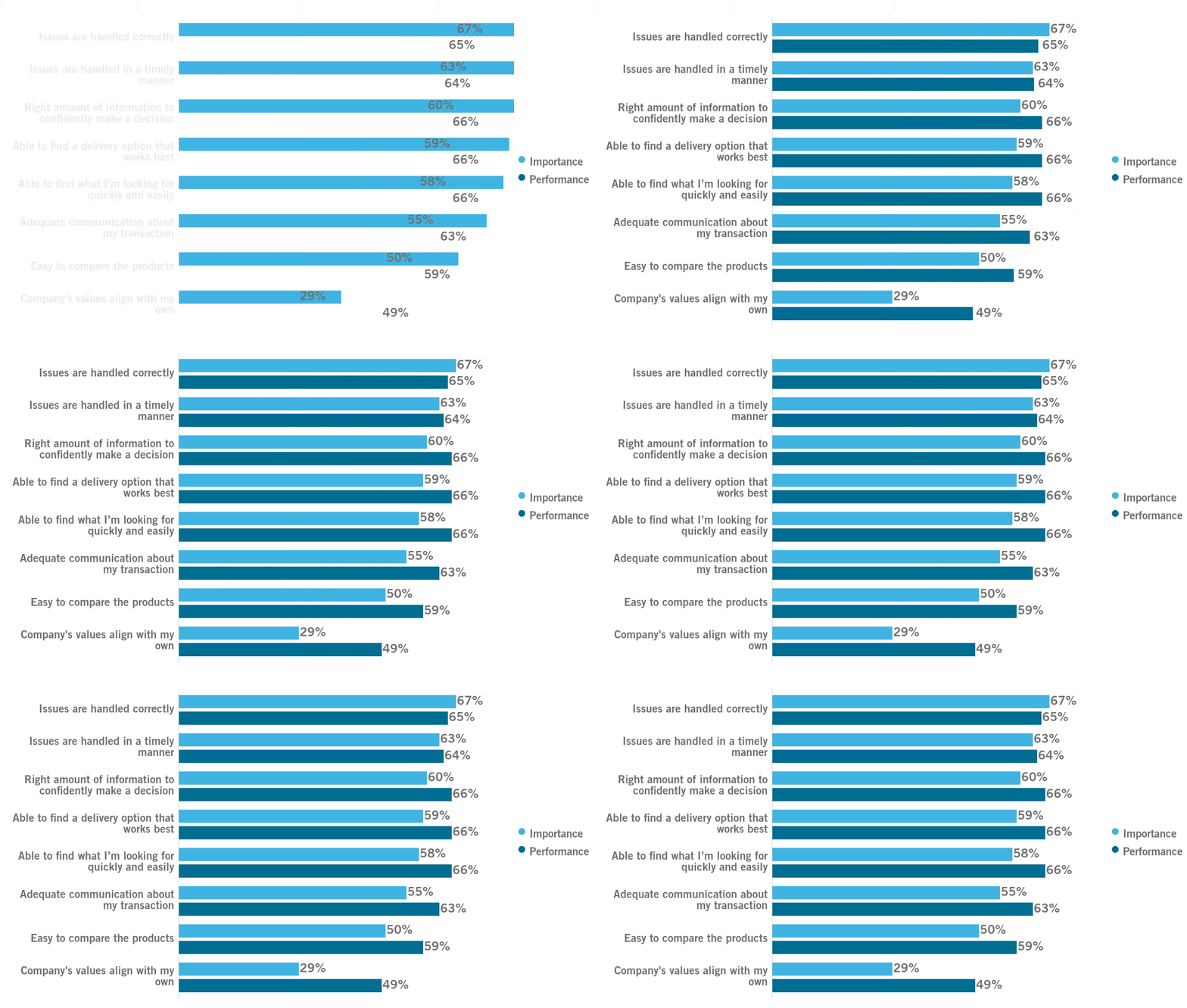
https://www.burke.com/wp-content/uploads/2022/06/according-to-shoppers-companies-are-performing-2.gif
https://www.pissedconsumer.com/blog/wp-content/uploads/2024/06/FTC-Resolving-order-issues.png

Watch for:

  • Address issues
  • Failed delivery attempts
  • Customer confusion
  • Status not updating

โœ” Act early if seller-managed
โœ” Monitor only if dispatchment

๐Ÿ“ฆ Early awareness prevents escalation.


Step 7: Knowing When NOT to Act #

Some situations do not require seller action:

  • Dispatchment order is in transit
  • International customs delay
  • Platform-wide delivery slowdown

โŒ Do not refund
โŒ Do not resend
โŒ Do not cancel

๐Ÿ“Œ Let the process work.


Common Order Management Mistakes #

โŒ Cancelling orders prematurely
โŒ Editing dispatchment statuses
โŒ Shipping without confirming address
โŒ Ignoring customer messages
โŒ Marking delivered too early

โš ๏ธ These mistakes often lead to disputes.


How Good Order Management Protects Sellers #

https://www.geckoboard.com/uploads/Ecommerce-KPI-dashboard.png
https://www.sellerlabs.com/wp-content/uploads/2025/08/Seller-Feedback-vs-Product-Reviews-Key-Differences-Impact-on-Amazon-SEO-in-2025.png

Proper order handling:

  • Improves seller ratings
  • Reduces refunds
  • Prevents disputes
  • Builds repeat customers

๐Ÿ“ˆ Consistency beats speed.


When to Contact Support #

Contact Kingston Express Support if:

  • An order status looks incorrect
  • A dispatchment order has an unusual issue
  • A customer is escalating aggressively

๐Ÿ“ง Always include the order ID.


Final Rule to Remember #

๐Ÿ‘‰ Check the order type first, then act accordingly.

Sellers who manage orders calmly, follow the process, and trust Dispatched by Kingston Express avoid most problems before they even start ๐Ÿ“ฆ๐Ÿ’ผ๐Ÿšš

Leave a Reply

Your email address will not be published. Required fields are marked *

Main Menu

error code: 525