



Lorem ipsum dolor sit amet, dolor siterim consectetur adipiscing elit. Phasellus duio faucibus est sed facilisis viverra. Umero praesent nec accumsan nibh, eu grav da metus.
This is a demo store for testing purposes — no orders shall be fulfilled. Dismiss
 Jamaica
Jamaica
Jamaica
1 min read
Most seller onboarding issues are easy to fix once you know what’s causing them.
This guide covers the most common problems new sellers face, why they happen, and exactly how to resolve them quickly.

✔ Check your email (including Spam/Junk)
✔ Wait for the approval message
✔ Respond quickly if more info is requested
📌 Do not register again.
📧 Include your account email and desired store name.
✔ Log out and log back in
✔ Try a different browser
✔ Clear browser cache
✔ Confirm approval email was received
✔ Add a location or niche
✔ Use “Store”, “Shop”, or “Official”
✔ Choose a unique variation
📌 Store names must be unique across the marketplace.
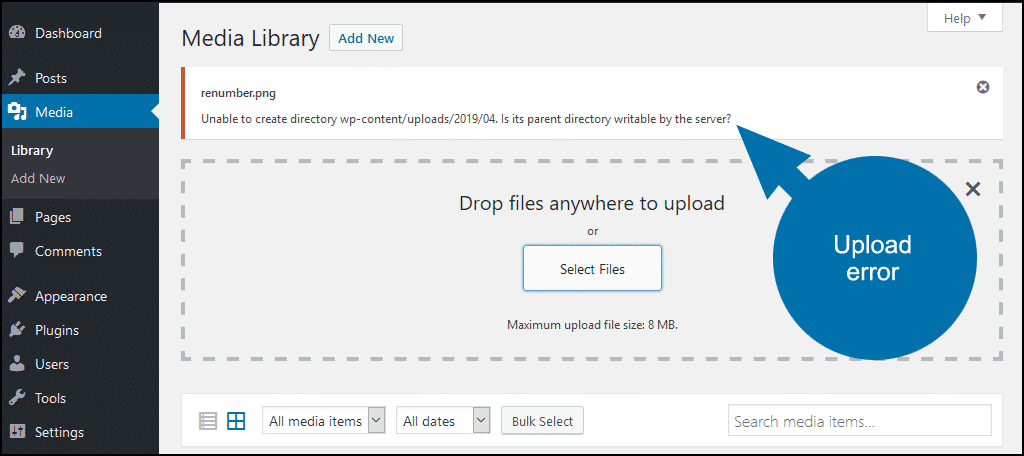
✔ Use JPG or PNG
✔ Keep file under 2MB
✔ Resize image
✔ Refresh page and retry
✔ Complete all required fields
✔ Move the map pin manually
✔ Save and refresh page

✔ Upload clear photos
✔ Use valid documents
✔ Make sure names match account
✔ Complete verification
✔ Wait for approval
✔ Check dashboard notices
✔ Check Spam/Junk
✔ Add Kingston Express to safe senders
✔ Verify your email in profile
✔ Complete store profile
✔ Upload logo and banner
✔ Set shipping options
✔ Add your first product
Contact Kingston Express Support if:
📌 Include screenshots and your store name if possible.
Every seller faces small setup issues at the beginning. Solving them early sets you up for smoother selling and better customer experiences 🚀



This chat uses automated responses for general guidance. For binding terms, please refer to our official policies.
Start A Conversation
Click here to chat with me!
Search our website now
Latest Products
Latest Posts
Tips how to choise a perfect watch foractive guys
Lorem ipsum dolor sit amet, dolor siterim consectetur adipiscing elit. Phasellus duio faucibus est sed facilisis viverra. Umero praesent nec accumsan nibh, eu grav da metus.
Harman Kadon Onyx Studio Mini, Reviews & Experiences
Lorem ipsum dolor sit amet, dolor siterim consectetur adipiscing elit. Phasellus duio faucibus est sed facilisis viverra. Umero praesent nec accumsan nibh, eu grav da metus.
Lorem ipsum dolor sit amet, dolor siterim consectetur adipiscing elit. Phasellus duio faucibus est sed facilisis viverra. Umero praesent nec accumsan nibh, eu grav da metus.
Lorem ipsum dolor sit amet, dolor siterim consectetur adipiscing elit. Phasellus duio faucibus est sed facilisis viverra. Umero praesent nec accumsan nibh, eu grav da metus.
Lorem ipsum dolor sit amet, dolor siterim consectetur adipiscing elit. Phasellus duio faucibus est sed facilisis viverra. Umero praesent nec accumsan nibh, eu grav da metus.

Subscribe to the Martfury mailing list to receive updates on new arrivals, special offers and our promotions.