View Categories

Seller Discounts & Promotions

3 min read

(Seller Support Article)

Seller Discounts & Promotions allow you to temporarily reduce product prices to attract buyers, increase conversions, and drive sales volume on Kingston Express.

Discounts are fully managed by sellers and can run independently or alongside other marketing tools.

https://agencyanalytics.com/_next/image?q=75&url=https%3A%2F%2Fimages.ctfassets.net%2Fdfcvkz6j859j%2F2r8wSI1BTI0LE4SeHLvGIw%2F63777a67fadcdaa6581f3c47434c2ad2%2FEcommerce-Dashboard-Template-Example.png&w=3840
https://sellerportal.newegg.com/selleracademy/wp-content/uploads/2019/06/ADD-PROMO_01.png
https://discoplugin.com/wp-content/uploads/2025/02/AD_4nXe1hf4VR-d6wtoQqpJzGoapegnHzwa9Zz1bxEFcnYc-d7c_obdtwhyxt66oQ9zoylFiWtRVugv8kYZu4V8OA-FV2j76FJqJFgD-nXHN8Yj7UrxoufSkpDz5arg_XmZCuF0MIvjsUg.png.webp

4


What Are Seller Discounts? #

Seller Discounts are price reductions applied to your products for a fixed period of time. Discounted products may receive higher visibility and are more likely to convert during promotions.

Discounts can be applied to:

  • Individual products
  • Multiple products at once

Types of Seller Discounts #

Percentage Discounts #

Reduce the product price by a percentage (e.g. 10% off).

Best for:

  • General promotions
  • Seasonal sales
  • Encouraging faster conversions

Fixed-Price Discounts #

Set a new discounted price for the product (e.g. $50 instead of $65).

Best for:

  • Flash sales
  • Clearing inventory
  • Price-matching competitors

Where Discounts Appear to Buyers #

Discounted products may be displayed with:

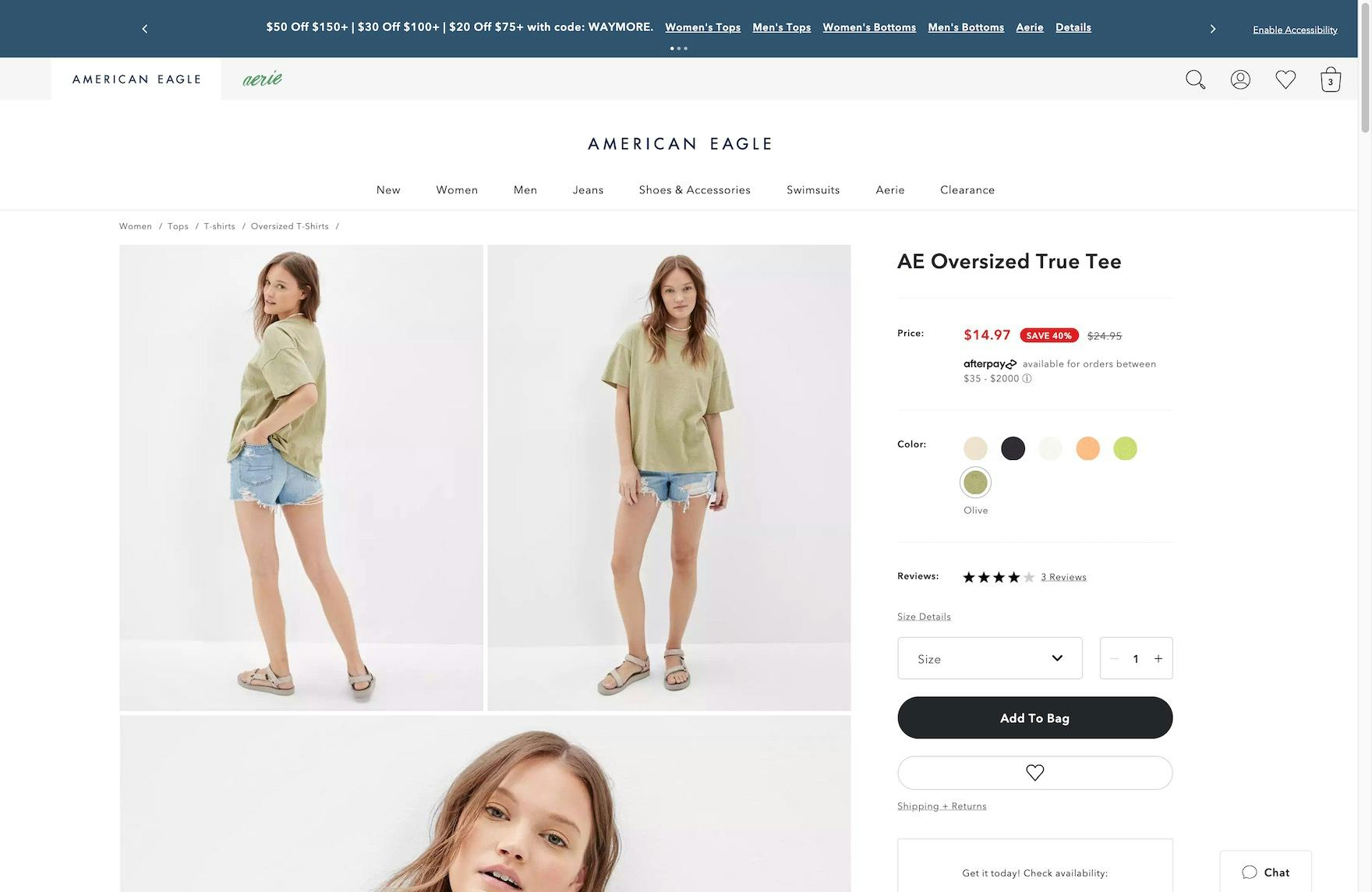
  • Strikethrough original prices
  • Discount badges
  • Improved placement in search or listings

Visibility depends on product quality, pricing competitiveness, and stock availability.


How to Create a Seller Discount #

https://cdn.shopify.com/app-store/listing_images/f3e34f65b2d12ca440507e09aa6ad160/desktop_screenshot/CKKhscbCtokDEAE%3D.png?height=720&width=1280
https://baymard-assets-cdn.imgix.net/research/media_files/attachments/64590/original/research-media-file-4b89c196dee74ba1345302df97f34892.jpg?auto=format&dpr=2&fit=max&q=50&w=880
https://docs.ecwid.com/discounts-and-tips/~gitbook/ogimage/dtY8lQvTQ0MtlsAGlW10

4

Follow these steps:

  1. Log in to your Seller Dashboard
  2. Go to Marketing & Campaigns
  3. Select Discounts & Promotions
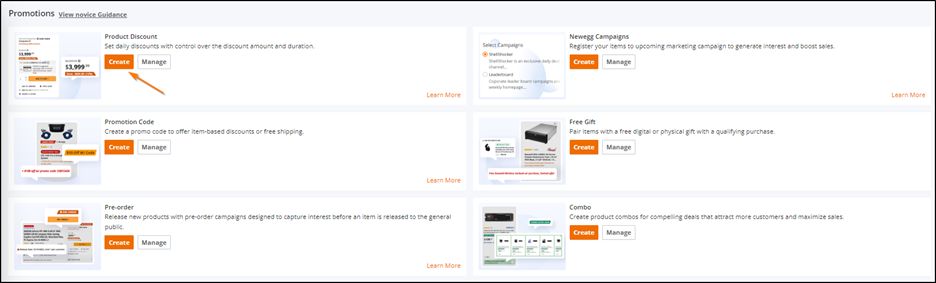
  4. Click Create Discount
  5. Select one or more products
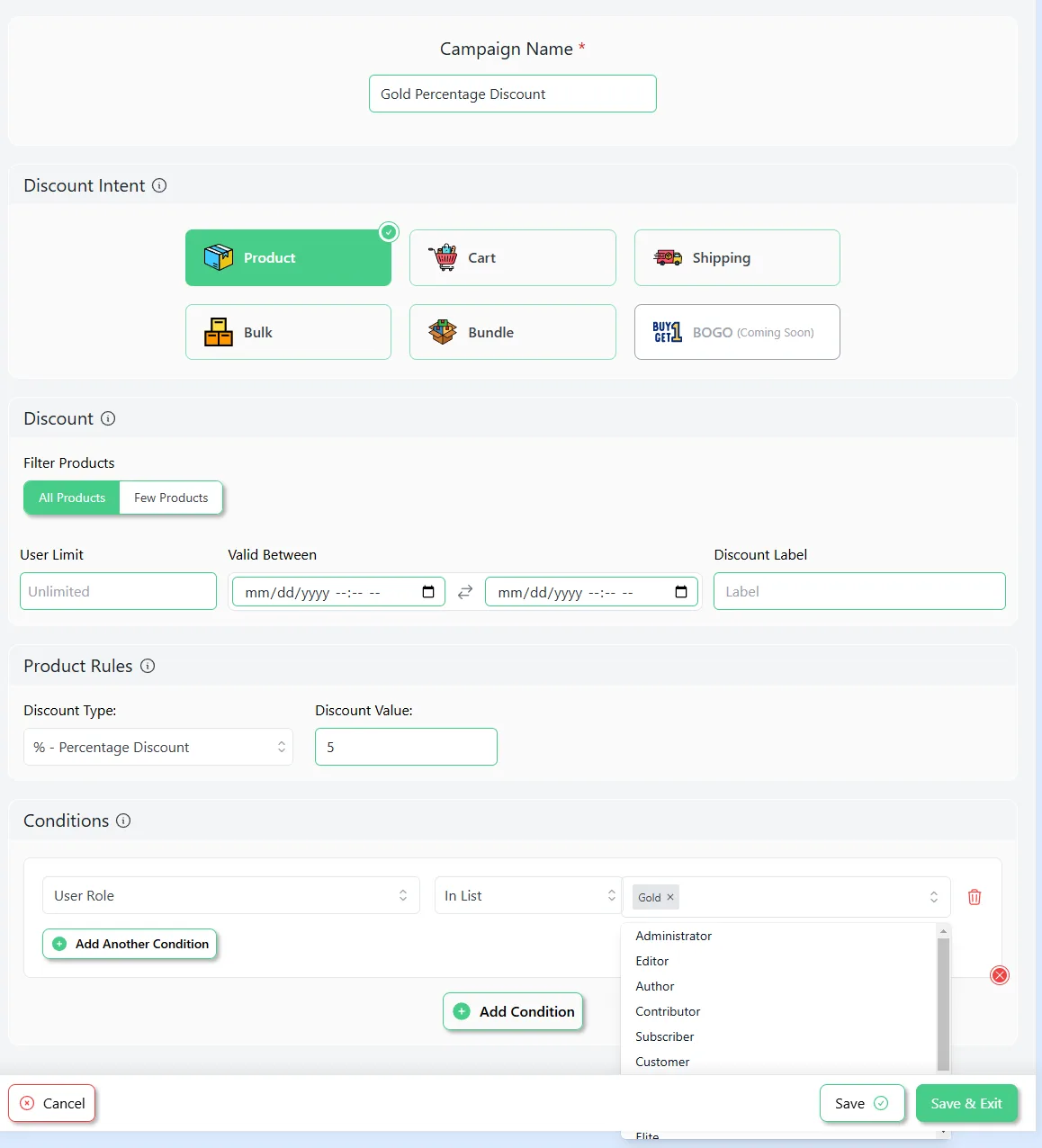
  6. Choose discount type (percentage or fixed price)
  7. Set discount value
  8. Choose start and end dates
  9. Review details and confirm

Once confirmed, the discount will activate automatically at the scheduled time.


Discount Scheduling & Duration #

Sellers can:

  • Schedule discounts in advance
  • Run short-term or multi-day promotions

Important Notes: #

  • Discounts start and end automatically
  • Prices revert to normal after the promotion ends
  • Editing may be limited once the discount is live

Pricing Rules & Restrictions #

To protect buyers and maintain fair pricing:

  • Discounts must be based on valid original prices
  • Artificial price inflation before discounts is not allowed
  • Minimum pricing rules may apply by category

Violating pricing rules may result in:

  • Discount removal
  • Reduced visibility
  • Seller account penalties

Stock & Inventory Considerations #

Before launching a discount:

  • Ensure sufficient stock is available
  • Update inventory accurately
  • Prepare for higher order volume

Running out of stock during a promotion may:

  • End the discount early
  • Impact seller performance metrics

Using Dispatched by Kingston Express can help manage higher order volumes during promotions.


Editing or Canceling a Discount #

Can I Edit an Active Discount? #

  • Some fields may be locked once live
  • In certain cases, discounts cannot be edited

Can I Cancel a Discount Early? #

  • Yes, unless restricted by campaign rules
  • Canceling may remove visibility benefits

Combining Discounts with Other Tools #

Seller Discounts can often be combined with:

  • Seller vouchers (if allowed)
  • Platform campaigns (if eligible)
  • Sponsored ads and placements

Always review tool compatibility before running multiple promotions.


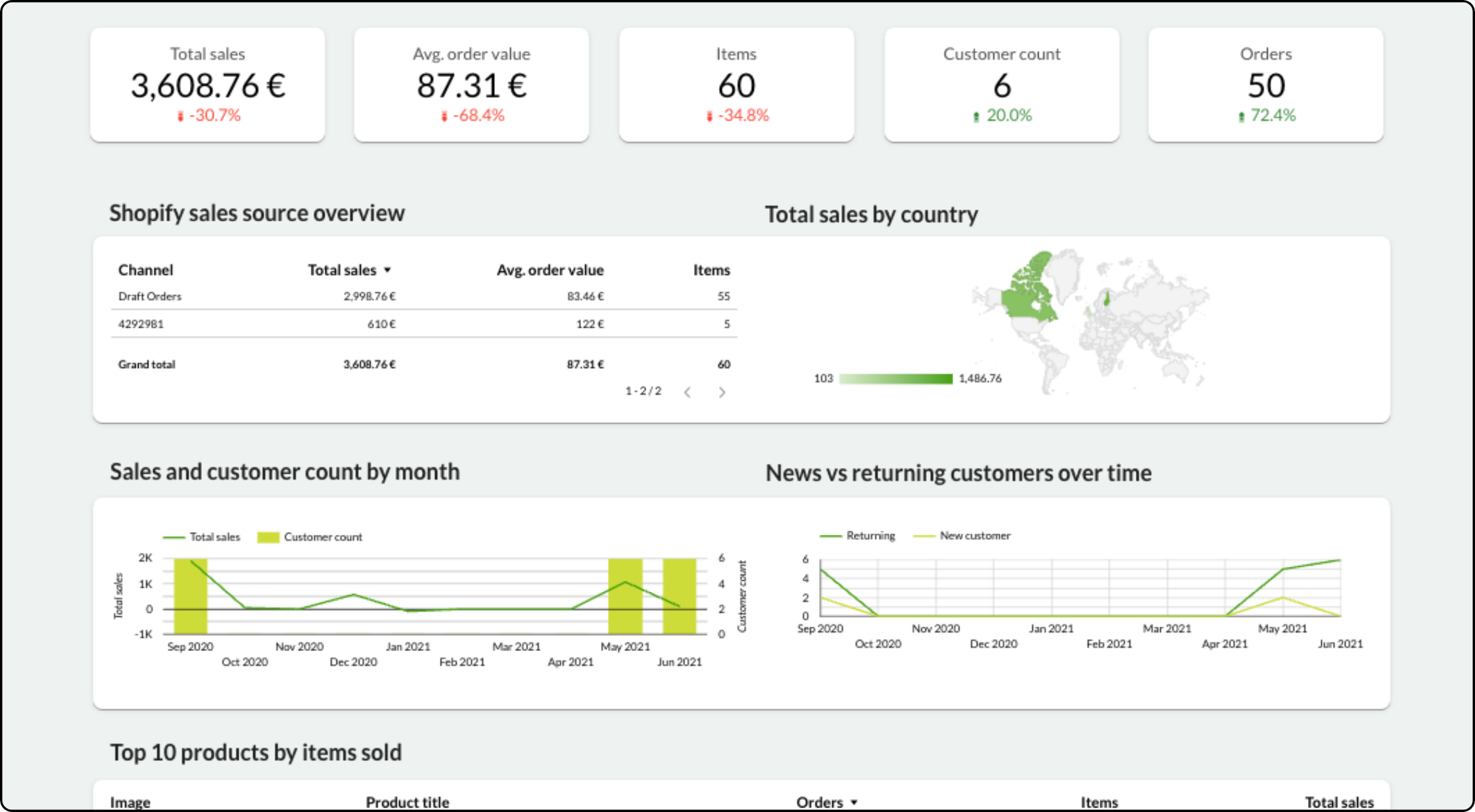
Tracking Discount Performance #

https://docs.oracle.com/cd/E22577_01/pdf/160/ri/html/user_guide/img/rma_overview.jpg
https://supermetrics.com/cdn-cgi/image/onerror%3Dredirect%2Cwidth%3D2244%2Cheight%3D1236%2Cformat%3Dpng/https%3A//cdn.sanity.io/images/8ly2m84z/production-2025/db197b6a0aadcaecfca328ac707c2d0f8baaa2a5-2244x1236.png?fit=max&h=1236&w=2244
https://a.storyblok.com/f/47007/2400x1260/a9548f2fa5/glossary_conversion_rate_v01.png/m/2880x0/filters%3Aquality%2880%29

4

You can track:

  • Product views
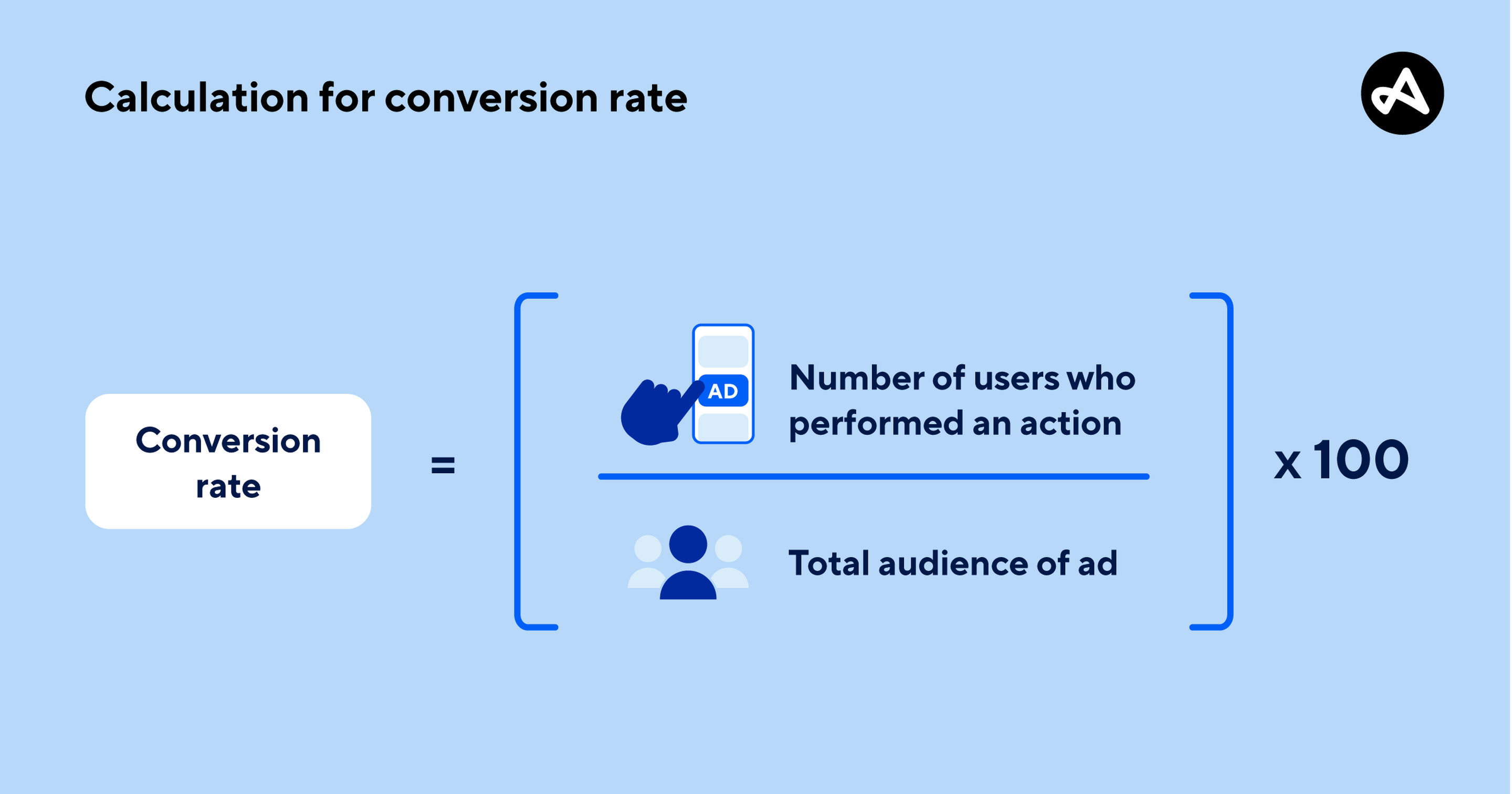
  • Conversion rate
  • Orders generated
  • Revenue during promotion

Performance data is available under Analytics & Reports.


Best Practices for Seller Discounts #

  • Discount proven, high-converting products
  • Avoid excessive discounting that hurts margins
  • Align promotions with inventory availability
  • Monitor performance daily
  • Combine discounts with fast fulfillment for better buyer experience

Common Issues & Troubleshooting #

My discount isn’t visible
Check start time, product eligibility, and pricing rules.

My product was removed from a discount
This may be due to pricing violations, low stock, or policy issues.

Sales increased but cancellations also increased
This usually indicates inventory or fulfillment capacity problems.


Policy & Compliance #

  • All discounts must follow Kingston Express pricing policies
  • Misleading promotions are not allowed
  • Repeated abuse may lead to restrictions

Need Help? #

If you need assistance with discounts:

  • Contact Seller Support
  • Provide discount name or product ID
  • Include screenshots if possible

Leave a Reply

Your email address will not be published. Required fields are marked *

Main Menu